
Chatbot App - AI Assistant
TapSuiteProductivity
4.21.40K Reviews
- Version
- 9.2.7
- Installs
- 10.00M
- Age Rating
- Everyone
Screenshots
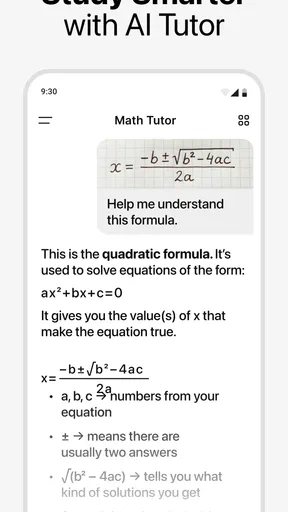
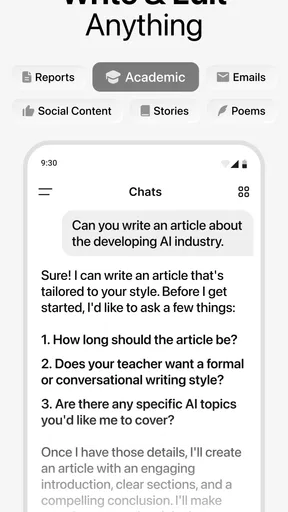
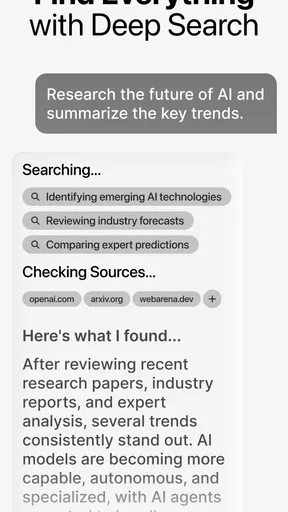
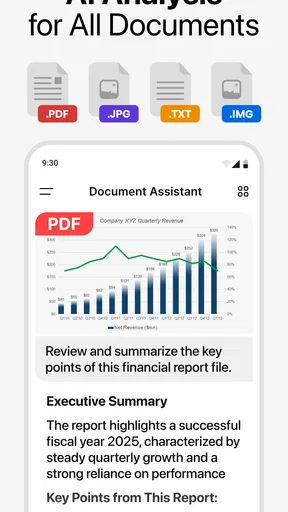
Our Review of Chatbot App - AI Assistant
 Analysis by Appyee
I judge an AI assistant by what happens after I type a request, not by how impressive its opening screen sounds. The useful test is whether it helps me move from a messy starting point to a practical next step without making me repeat myself or trust an answer blindly. Chatbot App - AI Assistant is aimed at that everyday gap: a place to ask for help with work tasks and general questions, with several AI model names presented as part of its appeal.
That makes it most interesting to people who regularly need a first draft, a clearer explanation, or a quick way to explore an idea. It is less compelling if you only want a conventional notes app, a simple calendar, or a chatbot for occasional entertainment. I would approach it as a flexible starting point for thinking and writing, rather than a hands-free replacement for the tools that actually send, schedule, or approve things.
Start with a real task, not a vague prompt
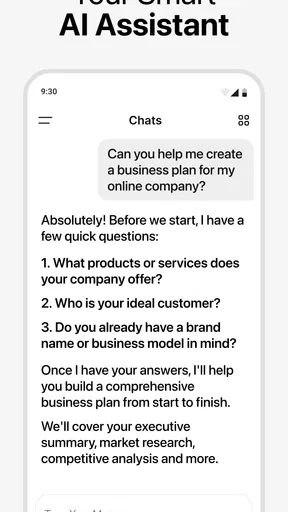
For a useful first session, I would bring one small task with a clear outcome: turn rough meeting notes into a short recap, outline a customer reply, or compare a few possible approaches to a work problem. A prompt that includes the audience, purpose, and desired length gives the assistant a better chance of producing something I can use. If the result misses the mark, I can then ask for a specific adjustment instead of starting over.
That approach also makes it easier to judge whether the app fits my routine. A chatbot can generate fluent text that still gets a detail wrong or misunderstands what matters. I would treat its output as a draft to review, especially when a message includes commitments, dates, costs, or sensitive business details. The time-saving part is often the structure it gives me, not the idea that every sentence can be sent untouched.
Where it fits among everyday tools
Compared with searching the web, a conversational assistant can be more convenient when I need an explanation or a first pass at wording rather than a list of pages to inspect. Compared with a standard notes or task app, it can help shape information, but it is not a substitute for a reliable record of decisions and deadlines. I would use those tools together: ask for a draft here, then put the final task or agreed action in the place where I already track work.
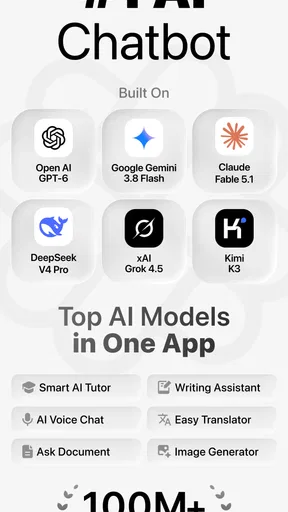
The app is also positioned around access to different AI options, which may appeal if you like comparing the feel of answers rather than sticking to one chatbot. That choice is useful only when I have a reason to compare: for example, one response may be clearer while another gives me a more useful outline. For a simple request, switching between models can become extra decision-making with little payoff. I would start with one answer and compare only when the result is important enough to justify another pass.
A small workflow that saves rework
One practical workflow is to paste in non-sensitive notes, ask for a concise summary with decisions separated from open questions, and then check each point against the original. Next, I would ask for an email draft based only on those checked points. This two-step process is more dependable than asking for a polished message immediately, because it exposes misunderstandings before they get dressed up as confident prose.
For a busy workday, imagine leaving a meeting with scattered notes and needing to send a follow-up before moving on. I could ask the assistant to group the notes by topic, identify what still needs confirmation, and draft a brief recap. I would then correct names or commitments, remove anything that should not be shared, and send the message through my usual email app. The handoff matters: the chatbot can help prepare the material, while I remain responsible for checking it and completing the action.
That separation is a useful habit for any AI workflow. I would not assume that a conversational answer has automatically updated a calendar, sent a message, or created a task unless the app clearly shows that action and I have checked the result. Treating suggestions as suggestions avoids a common source of frustration: believing that a polished response means the real-world task is already done.
Who is likely to get the most from it
I can see this being a good fit for people who write regularly but do not always start with clean notes: freelancers preparing client updates, students trying to understand a difficult topic, or small teams looking for a quick first draft. It can also help someone who wants to test different ways of phrasing a request before settling on one. The benefit is less about replacing expertise and more about reducing the friction between “I need to do this” and “I have a workable first version.”
I would skip it if I need guaranteed factual accuracy without review, a dedicated project-management system, or a tool that quietly carries out a chain of actions on my behalf. It is also not the right place for confidential material unless I have read and accepted the app’s current privacy terms and am comfortable with how my input is handled. For high-stakes legal, medical, financial, or employment decisions, I would use a qualified source and treat an AI response only as a prompt for questions—not as the decision.
First Impressions and Setup
Installing the Chatbot App - AI Assistant was a breeze. A couple of taps on the download button, a quick spin of the loading circle, and we were in business. The app's interface is sleek and modern, which I really appreciate. It’s like the designers knew exactly how to blend functionality with aesthetics.
Once inside, I was greeted by a friendly AI assistant. Setting it up was as simple as entering my name, a few preferences, and voilà! The AI was ready to roll. It's like having a personal assistant right in your pocket, minus the coffee runs.
User Experience and Features
Now, let’s talk about what this app can actually do. The Chatbot App - AI Assistant is designed to handle a wide range of tasks. From setting reminders and sending messages to answering general knowledge questions, it's like having a Swiss army knife in app form.
I was particularly impressed with its ability to integrate with other apps on my phone. Need to schedule a meeting? Done. Want to play a specific song? Just ask. It’s like having a tech-savvy friend who’s always ready to assist.
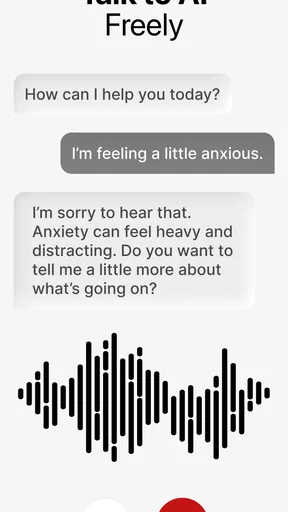
One feature I found super handy was the app's natural language processing. You don’t have to speak in robotic commands; just talk to it like you would to a friend. It understands context, which makes interactions feel seamless and, dare I say, human?
Performance and Reliability
No app is perfect, so I was curious to see how the Chatbot App - AI Assistant would perform under pressure. Surprisingly, it handled multitasking like a champ. Whether I was asking it to draft an email while looking up dinner recipes or juggling calendar appointments, the app didn’t miss a beat.
However, there were a couple of hiccups. Occasionally, the app took a moment longer to process complex requests. But honestly, for an app doing so much, a slight delay is forgivable in my book.
Privacy Concerns
In today’s digital age, privacy is a biggie. I dug into the app’s privacy policy, and it seems they’ve put some serious thought into safeguarding user data. It’s encrypted and promises not to share information without consent, which is always reassuring.
"Having control over my data gives me peace of mind when using AI apps."
While no system is entirely foolproof, the measures in place made me feel comfortable continuing to use the app.
Making a careful choice
The app is free to download, with optional in-app purchases listed from $4.99 to $39.99 per item. I would try the free experience against a task I already do often before paying for anything: if it consistently saves time on drafting or organizing, that is a more meaningful reason to consider a purchase than simply being curious about AI. The developer is xStudios, and the app is rated for Everyone, which makes it broadly accessible; that rating should not be mistaken for a guarantee that every answer is suitable for every age or situation.
Its audience figures suggest it has found a substantial group of users: it has a 4.8 average from around 30,000 ratings and over 500,000 installs. I see that as a helpful sign of interest, not proof that it will suit my own workflow. The current version is 9.0.2, and it runs on Android 7.0 or later, so an older device may still be in range if it meets that requirement.
A question I would ask before relying on it for a regular routine is whether its answers are easy to review and reuse in my own process. My practical test would be to try the same non-sensitive task on more than one occasion, note where I still need to correct the output, and decide whether that editing time is acceptable. Another sensible question is whether a particular request belongs in a chatbot at all. If it contains private client details, account information, or an unresolved personnel issue, I would remove identifying information or keep it out of the conversation.
Final Thoughts
So, is the Chatbot App - AI Assistant worth a download? If you’re looking for a versatile and user-friendly digital assistant, I’d say yes. It’s packed with features that genuinely make life easier, and the user experience is top-notch.
While there’s room for improvement, particularly in terms of processing speed, the overall functionality and design make it a strong contender in the world of AI assistants. Whether you’re a tech newbie or a seasoned pro, you’ll likely find this app a valuable tool in your digital arsenal.
If you’re intrigued, give it a whirl and see how it fits into your daily routine. Who knows? It might just become your new favorite app buddy.
Privacy and Permissions
See what permissions an app requests and how it handles your data.
- Photos/Media/Files
- read the contents of your USB storage, modify or delete the contents of your USB storage
- Storage
- read the contents of your USB storage, modify or delete the contents of your USB storage
- Camera
- take pictures and videos
- Microphone
- record audio
- Wi-Fi connection information
- view Wi-Fi connections
- Other
- view network connections, full network access, change your audio settings, run at startup, draw over other apps, control vibration, prevent device from sleeping, read Google service configuration
Verdict
Strengths of Chatbot App - AI Assistant
- Intuitive user interface for easy navigation.
- Offers multilingual support for diverse users.
- Customizable responses to fit user needs.
- Integrates with popular messaging apps.,24/7 availability for round-the-clock assistance.
Limitations of Chatbot App - AI Assistant
- Limited free version features available.
- Occasional lag in response time.
- Requires internet connection to function.
- Subscription model can be pricey.
- May struggle with complex queries.
Other Releases by TapSuite
View All
Deepsearch AI Search Assistant
Lifestyle4.3

Scanner App - Scan PDF & Docs
Tools4.5

Clean Up Phone Storage: CleanX
Tools4.5
Similar Picks in This Category
View All
Google Calendar
Google LLC4.6

Google Drive
Google LLC4.3

Google Assistant
Google LLC3.9

Microsoft OneDrive
Microsoft Corporation4.6

Samsung Calendar
Samsung Electronics Co., Ltd.4.1

Microsoft OneNote: Save Notes
Microsoft Corporation4.6
Frequently Asked Questions
What platforms is the Chatbot App - AI Assistant available on?
The Chatbot App - AI Assistant is available for download on both Android and iOS devices. Users can find it on the Google Play Store for Android devices and the Apple App Store for iOS devices. Ensure your device meets the minimum system requirements for optimal performance.
Does the Chatbot App - AI Assistant require an internet connection to function?
Yes, the Chatbot App - AI Assistant requires a stable internet connection to operate effectively. This is because it accesses cloud-based AI services to provide real-time responses and updates. Without an internet connection, the app may not perform as expected.
Is my data secure when using the Chatbot App - AI Assistant?
The Chatbot App - AI Assistant prioritizes user privacy and data security. It uses encryption protocols to protect personal information. However, it's important to review the app’s privacy policy to understand how your data is stored and used. Regular updates are recommended for enhanced security.
Can I customize the responses of the Chatbot App - AI Assistant?
Yes, the Chatbot App - AI Assistant offers customization options to tailor responses according to your preferences. Users can adjust settings, choose different language options, and personalize interaction styles to better suit individual needs and communication preferences.
Does the Chatbot App - AI Assistant offer multi-language support?
The Chatbot App - AI Assistant provides multi-language support, allowing users to interact in various languages. This feature is particularly beneficial for non-English speakers, ensuring a broader accessibility. Check the app settings to see the full list of supported languages and make your selection.
